
The first time you log into your hosting control panel, it can feel like stepping onto the bridge of a spaceship: buttons everywhere, graphs that look like they were drawn by a caffeinated mathematician, and tabs stacked so high you might need a ladder to reach the bottom of the dashboard. But here is the twist: instead of fear, you feel excitement. This little rectangle on your screen has the potential to make your website sing, dance, or occasionally collapse in a spectacular digital meltdown.
A web hosting panel is much more than a mere dashboard; it is your digital command centre. It is here where you will determine the fate of your website, like some kind of benevolent emperor, who also knows his way around FTP. Sure, it might confuse you, and yes, the terminology sometimes feels like it was written in some sort of ancient dialect that only IT wizards can read. Once you get the hang of it, though, you could do real magic.
Tabs, Buttons, and the Art of Clicking Without Fear
And this is one of the very first lessons you learn in hosting panel mastery: click responsibly. Every button is an adventure waiting to happen. Some will open doors to fantastic new features, while others threaten to launch your meticulously curated blog into the cold, dark expanse of the internet. Always take a deep breath and read the label before committing to that fateful click. If the button says “Delete Everything,” well, maybe pause for a moment. Make yourself a nice cup of tea, reflect on life, and then click with confidence.
When you first come across the “File Manager” tab, you might go into a panic. Files? Managers? Is this some digital zoo where tiny text documents roam free? But then as you dig deeper, you find a very neat and organized world where you can drag, drop, and rename files like a modern-day, digital Marie Kondo. Suddenly, your hosting control panel feels less like a spaceship and more like a magic wand for your website.
E-mails, Domains, and the Confusing World of Settings
Next up is your domain settings. You think that domains are easy: you type in a name, voil-website. Wrong. Your hosting panel makes you feel like you’re negotiating a peace treaty between your website and the Internet itself. MX records, CNAMEs, SPF settings-they come across as cryptic hieroglyphs, and you may need a translator. And then, after some trial and error and a bit of patience, things start clicking into place.

Then there are the emails. In an instant, you cease to be merely a website owner; you become an e-mail tycoon. The hosting panel gives you powers of account creation, messages forwarding, and even auto-responders. You rule over the flow of messages akin to a small digital postmaster. There’s something undeniably satisfying about knowing all those little letters and notifications are under your reign.
The Thrill of Installing Software Without Tears
Installing software through your hosting control panel is one of those experiences that seems terrifying until it’s delightful. Applications, plugins, and content management systems sit in a neat list, waiting for your command. You click install, watch a progress bar crawl across the screen, and, well, suddenly your website’s armed with new capabilities. It’s like giving your digital pet a fancy new outfit or superpower. You don’t know how thrilling it can be to click “Install” until you see the results, and then suddenly your blog has a shopping cart, a gallery, or even a forum where strangers can argue about who makes the best pizza.
Backups: Your Digital Insurance Policy
If you cherish your sanity and late-night coding hours, there’s absolutely no way around backups. It allows scheduling, manual creation, and even restoration with your hosting control panel in just a few clicks. Think of it like insurance for your website. Make one wrong move, hit that delete key at the wrong moment, and-whoosh-your hard work’s gone. With a backup in place, you can breathe easy, knowing that your content, your files, and your sanity are all recoverable. Think of it as a superhero cape for your website: silent, invisible, and incredibly powerful.

You might feel tempted to disregard backups as boring. Just don’t give in to that temptation. Later, when the unexpected happens and your website is threatening to implode for no reason apparent to you, you will thank yourself for taking those extra five minutes to secure your digital empire.
Metrics, Logs, and Your Inner Sherlock
Part of the excitement in a hosting control panel is the discovery of secrets about your website’s traffic and behavior. The analytics and logs are like secret diaries written in a language you only understand after staring at them long enough. Where are your visitors coming from? Which pages make them stay and which make them flee? These are priceless insights. You’re not just managing a website; you’re conducting a full-blown investigation into the habits of digital citizens.
If there’s an error or something goes wrong, your logs are there, silently carrying all the clues you need. You might spend an hour trying to make sense of it, wondering if they are silently mocking you, but in the end, they guide you toward solutions. It’s like being a detective, with the difference that instead of crimes, you solve these really mysterious 404 errors and slow-loading pages.
Security: The Invisible Armour
Security isn’t something you can overlook, and fortunately, your control panel has got your back. Passwords, firewalls, SSL certificates-they’re all there, eagerly waiting for you to deploy them like a digital knight in shining armor. Of course, it’s not as glamorous a task. Nobody writes odes to SSL certificates or firewall rules. It’s necessary. Without these defenses, your website is like a castle with no gates, no guards, and a big sign saying, “Please Hack Me.”
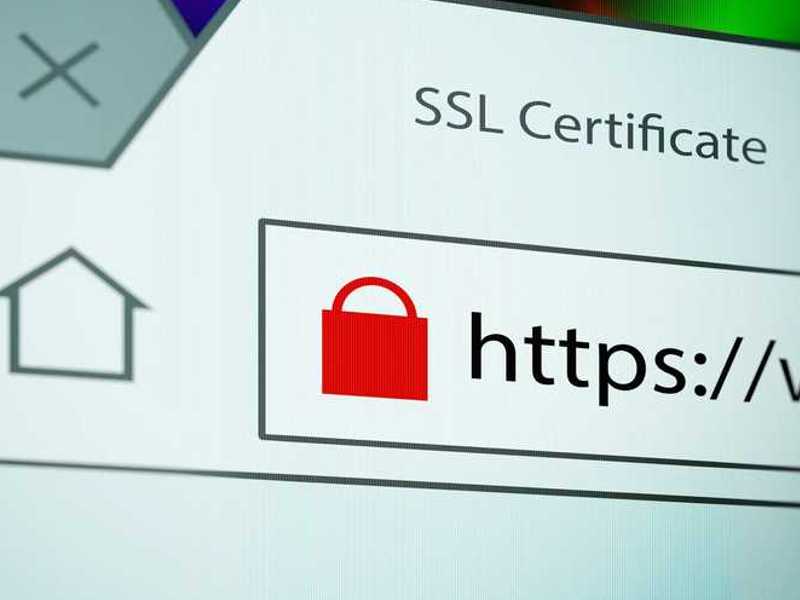
With every strengthening of your site, you get a small rush of pride. Somewhere, hackers may be lurking, but you’re ready for them. And in knowing your website is safe, it builds confidence to experiment more with new designs, features, and content.
Wrapping It Up With a Click
So here you are, standing tall in the control room of your website, commanding your hosting panel like a seasoned captain. You have braved confusing tabs, tamed cryptic settings, protected your work, and even ventured into analytics like a detective on caffeine high. In short, you have made what was once an intimidating dashboard a playground of possibility. Remember, your hosting control panel is not just about upkeep; it’s about empowerment, creativity, and having a little fun along the way. Master it, and your website will thank you.
